
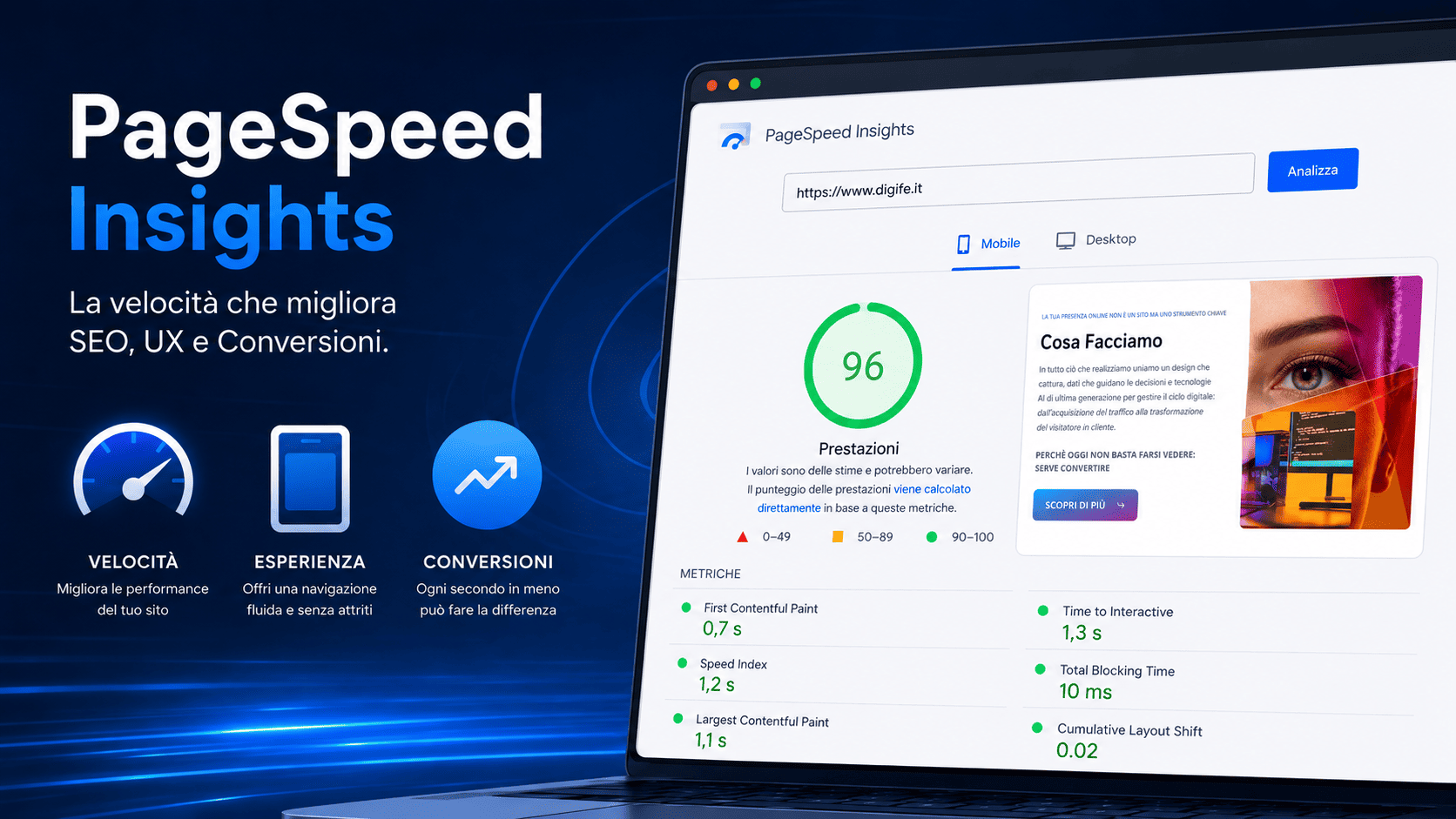
Website speed isn't a technical detail. It's a tangible part of the user experience, brand perception, and the ability to convert a visit into a contact, inquiry, or sale.
A slow website doesn't just convey slowness. It conveys a lack of care, reliability, and attention to visitors.
For this tools like PageSpeed Insights They have become essential for analyzing a website's performance. They're not just useful for achieving a high score, but also for understanding where the experience is stalling, which elements are slowing down pages, and what interventions can improve SEO, UX, and conversions.
In a digital world where being online is no longer enough, performance becomes a strategic lever. The key isn't having a "beautiful" website. The key is having a fast, clear website that generates results.
What is PageSpeed Insights
PageSpeed Insights It's a Google tool that analyzes a web page's performance on mobile and desktop. The report combines lab data and real user data, providing useful recommendations for improving page speed, stability, and interactivity.
The most visible result is the score from 0 to 100, but stopping there would be reductive. The real value of the report lies in the information it reveals beneath the surface: which resources slow down loading, which elements generate instability, how long the main content takes to appear, and how quickly the page responds to interactions.
In other words, PageSpeed Insights shouldn't be used as a simple "grade test." It should be viewed as a technical diagnosis of user experience.
Why site speed is so important
When a user lands on a website, they only give it a few seconds of attention. If the page doesn't load quickly or if elements move while browsing, the experience quickly deteriorates.
This is true for a showcase site, but becomes even more important for e-commerce, landing pages, company portals and pages designed to generate leads.
Speed affects three central areas:
SEO, because Google considers page experience among the useful signals for evaluating the overall quality of a site.
UX, because a fast website makes navigation smoother, reduces frustration and helps users find what they are looking for faster.
Conversions, because every second of waiting can increase the risk of abandonment and reduce the likelihood that the user will complete an action.
Speed, then, isn't just a developer issue. It's a business issue.
A fast website improves brand perception
The first digital impression often emerges before the user even reads the content. It stems from the way the page opens, the smoothness of the scrolling, the speed of the buttons, and the overall feeling of control.
A slow website can make a company appear outdated or unreliable. A fast website, on the other hand, conveys solidity, organization, and attention to detail.
This aspect is often overlooked. But in practice, performance is part of a brand's digital identity.
If a potential customer arrives from Google, an advertising campaign, or social media and encounters a slow page, the investment made to bring them there loses value. Acquired traffic isn't enough: it must arrive at an experience capable of retaining them.
PageSpeed Insights and SEO
Technical SEO isn't just about indexing, sitemaps, title tags, or content structure. It's also about the quality of the experience a page offers users.
PageSpeed Insights helps identify issues that can impact organic performance, especially on strategic pages like homepages, commercial landing pages, ecommerce categories, product pages, and informational articles.
A slow site can have a harder time competing, especially when the SERP is populated by faster, clearer, and easier-to-navigate competitors.
This doesn't mean that speed is the only SEO factor. It isn't. But it can make a difference when two pages have similar content, address the same intent, and compete for the same keyword.
A high-performing page helps Google better understand the overall experience and helps users stay on the site more easily.
PageSpeed Insights and UX
UX isn't just graphics. It's how the user experiences the site.
A page may be aesthetically pleasing, but if it loads slowly, if buttons are slow to respond, or if the layout shifts as the user is about to click, the experience becomes negative.
PageSpeed Insights measures some of these dynamics through the Core Web Vitals, i.e., metrics designed to evaluate page loading, interactivity, and visual stability. Google lists LCP, INP, and CLS as the main metrics of the Core Web Vitals.
These metrics aren't just for technical people. They also speak to those running an online business, because they translate technical issues into experience issues.
If the main content arrives late, the user waits.
If a button doesn't respond immediately, the user is in doubt.
If the layout moves, the user loses confidence.
Performance is UX applied.
PageSpeed Insights Key Metrics
To properly read a PageSpeed Insights report, you need to look beyond the overall score and focus on the metrics that truly impact the experience.
LCP — Largest Contentful Paint
The Largest Contentful Paint Measures the time it takes for the main element of the page to become visible. This is often the hero image, a major headline, or a content block above the fold.
A high LCP indicates that the user has to wait too long before seeing what really matters.
On an e-commerce site, this could mean a product image that arrives late. On a landing page, it could be the main title that doesn't appear immediately. On a company website, it could be the initial section that loads slowly.
When the first important content arrives late, the page is already at a disadvantage.
INP — Interaction to Next Paint
L'Interaction to Next Paint It measures the page's responsiveness to user interactions. In practice, it evaluates how much time passes between an action—such as a click, tap, or selection—and the page's visual response.
This metric is especially important for dynamic sites, e-commerce, forms, configurators, complex menus, and JavaScript-rich interfaces.
A weak INP makes the site less fluid. The user clicks, but the page appears unresponsive. Even if the delay is brief, the feeling can be negative.
In a conversion path, every micro-friction weighs.
CLS — Cumulative Layout Shift
The Cumulative Layout Shift Measures the visual stability of the page. It helps determine whether elements move during loading.
It's the classic case where the user is about to click a button, but suddenly an image, banner, or content block appears and shifts everything.
This problem isn't just annoying. It can lead to errors, unwanted clicks, and a loss of trust.
A low CLS means the page remains stable and predictable. And a predictable page is easier to use.
PageSpeed Insights and conversions
Speed doesn't just improve navigation. It can directly impact conversions.
When a page is slow, users have more time to get distracted, go back, compare a competitor, or abandon their navigation. When a site is fluid, however, the path to action becomes more natural.
This applies to every digital lens:
- sending a form;
- e-commerce purchase;
- request for quote;
- subscription to a newsletter;
- download a resource;
- booking a service;
- WhatsApp or telephone contact.
Conversion isn't just about copy or graphics. It also depends on how easy it is to get to the action without obstacles.
A slow website doesn't just interrupt loading. It interrupts decision-making.
PageSpeed Score Isn't Everything
One of the most common mistakes is to read PageSpeed Insights as a 100/100 race.
A high score is a positive thing, but it doesn't always tell the whole story. A site might have a good score on a secondary page but serious issues on its commercial pages. Or it might perform well on desktop but be weak on mobile.
For this reason, the analysis must start from the pages that really matter:
- homepage;
- service pages;
- landing page;
- category pages;
- product sheets;
- checkout;
- articles that generate organic traffic;
- pages with high advertising investment.
The goal isn't to optimize everything indiscriminately. The goal is to first improve what impacts traffic, leads, and sales.
The most common causes of a slow website
A website can be slow for many reasons. Often, the problem isn't a single one, but rather the sum of multiple technical elements that have been neglected over time.
The most common causes are images that are too large, unoptimized JavaScript, unused CSS, excessive plugins, an overly loaded theme, inadequate hosting, poorly managed external fonts, lack of caching, heavily loaded videos, or overly invasive third-party scripts.
On WordPress sites, for example, unchecked plugins can generate unnecessary requests and slow down loading times. In e-commerce sites, however, the problem can arise from unoptimized product images, complex filters, tracking scripts, wishlists, reviews, chat, and payment systems that load too early.
The point isn't to eliminate everything. The point is to understand what's truly useful and what just creates burden.
How to improve website speed
Performance optimization must start with a diagnosis. First, measure, then intervene.
A good strategy involves three steps: analyzing the most important pages, identifying the main causes of the slowdown, and defining a list of interventions sorted by impact.
The most common fixes include image optimization, using modern formats, lazy loading, JavaScript reduction, CSS cleanup, caching, server optimization, font optimization, and external script control.
But every site's situation is different. An e-commerce site isn't optimized like a showcase site. A landing page isn't optimized like a magazine. A custom platform requires different considerations than a WordPress site.
For this reason, the correct approach is not to apply standard solutions, but to build a technical plan consistent with the project.
Mobile-first: Where speed matters most
Most digital experiences happen on smartphones. This means mobile performance must be a priority, not an afterthought.
A site that works well on desktop but struggles on mobile risks losing a significant portion of qualified traffic.
On mobile, conditions are more variable: less stable connections, smaller screens, different processors, more distractions, less patience. A slow or heavy page can quickly become an exit point.
For this reason, PageSpeed Insights should always be read separately for desktop and mobile. If your site has an acceptable score on desktop but a poor one on mobile, the problem shouldn't be minimized. It should be addressed based on actual user behavior.
Monitor performance over time
Taking a test just once is not enough.
Website performance changes over time. Simply updating a theme, installing a plugin, adding a tracking script, loading large images, or modifying a section of the homepage can slow down loading times.
This is why speed must become part of site maintenance.
Effective monitoring should periodically check key pages, compare mobile and desktop, verify Core Web Vitals, observe user behavior, and connect technical data to real-world results.
The point isn't just whether the site is online. The point is whether it's working well.
PageSpeed Operational Checklist
This part can be used as a quick check before a technical intervention.
Area |
What to check |
|---|---|
| Mobile | Is the site fast and usable on smartphones? |
| LCP | Does the main content appear quickly? |
| INP | Do buttons, menus, and forms respond without delay? |
| CLS | Does the layout stay stable while loading? |
| Images | Are they compressed, resized, and in modern formats? |
| JavaScript | Are unnecessary scripts removed or loaded afterwards? |
| CSS | Is unnecessary code reduced? |
| Font | Aren't fonts blocking loading? |
| Caching | Are static resources managed correctly? |
| Hosting | Is the server adequate for the traffic and the project? |
| External scripts | Are tracking, chat, and widgets really necessary? |
| Strategic pages | Are the homepage, landing page, categories, product pages, and checkout a priority? |
Mistakes to avoid
The first mistake is trying to achieve the highest score without considering which pages are truly valuable. Optimizing a marginal page and leaving a landing page that generates leads slow makes no strategic sense.
The second mistake is installing optimization plugins hoping they'll fix everything. Some tools help, but if the site is poorly constructed, has heavy images, or loads too many scripts, the problem persists.
The third mistake is looking only at the homepage. On many sites, the most important pages for conversion are internal: product pages, service pages, categories, checkout, forms, or SEO articles.
The fourth mistake is separating performance and marketing. A campaign can bring in qualified traffic, but if the landing page is slow, part of the budget is wasted.
When professional technical intervention is needed
Not all speed issues are solved by compressing images or enabling a cache.
Sometimes you need to work on the theme, the code, the server, the page architecture, the loading of scripts, or the logic with which the site was built.
Professional intervention is needed when the site:
- It has very different performances between mobile and desktop;
- receives traffic but converts poorly;
- has slow strategic pages;
- depends on many plugins;
- use heavy templates;
- has an e-commerce site with many images or variations;
- presents recurring issues in Core Web Vitals;
- gets worse after updates or changes.
In these cases, the goal isn't just "do some optimization." The goal is to restore the site to working as a digital asset: fast, stable, measurable, and ready to support SEO, advertising, and conversions.
PageSpeed and DigiFe approach
For DigiFe, a website is more than just an online presence. It's a tool that must support your business, generate leads, facilitate purchases, and guide users through a decision. The agency's positioning combines design, data, technology, and conversion, with a focus on sites and e-commerce sites designed to generate tangible results.
In this sense, PageSpeed Insights isn't an isolated technical audit. It's part of the entire digital ecosystem optimization process.
A fast website improves SEO.
A seamless UX builds trust.
A stable page reduces abandonment.
A quick path makes it easier to convert.
Speed, design and strategy must work together.
PageSpeed Insights FAQ
What is PageSpeed Insights for?
PageSpeed Insights helps you analyze a web page's performance on mobile and desktop. It displays data, metrics, and suggestions for improving page speed, stability, and interactivity.
Does a low PageSpeed Insights score hurt SEO?
A low score doesn't automatically mean a penalty, but it can indicate user experience and performance issues that can impact the overall quality of the page. Speed should be evaluated alongside content, search intent, technical structure, and user behavior.
What are the main Core Web Vitals?
The main Core Web Vitals are LCP, INP is CLS. They measure the loading of the main content, page responsiveness, and visual stability during loading, respectively.
Is mobile or desktop score more important?
It depends on the site's audience, but in most cases, mobile is crucial. Many users browse from smartphones, and a slow mobile page can reduce traffic, trust, and conversions.
How often should I check PageSpeed Insights?
It's helpful to monitor strategic pages after major changes, technical updates, redesigns, plugin installations, or advertising campaigns. For e-commerce or lead generation sites, monitoring should be done periodically.
Conclusion
PageSpeed Insights isn't just about measuring how fast a site is. It helps you understand how ready a site is to deliver a good experience, support SEO, and convert traffic into results.
A slow website isn't just a technical issue. It's a missed opportunity.
Every second of delay can undermine trust, reduce campaign effectiveness, lower conversions, and make your digital project less competitive.
This is why speed must be treated as part of the strategy, not as an intervention to be done “when there is time”.
A high-performance website works better.
For users.
For Google.
For business.
Is your website slow or not converting as it should?
DigiFe analyzes your site's performance, UX, SEO, and technical structure to identify what slows down the experience and blocks conversions.